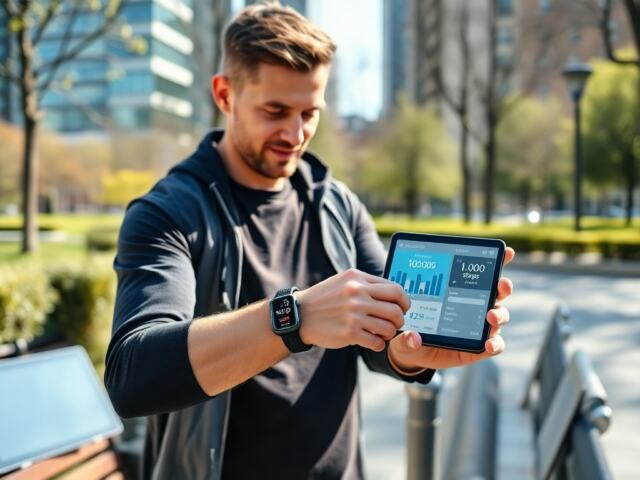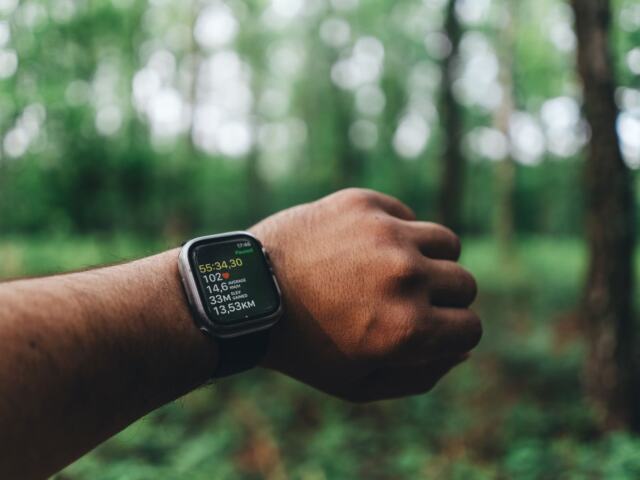
Learning how to use a fitness tracker starts with a single decision: wear the device you will keep on, then read its metrics as trends rather than verdicts. Activity numbers show daily movement, heart rate zones guide effort, and sleep and HRV inform recovery.
If the device is still in its box, how to start tracking fitness with a fitness tracker covers setup. This guide is about what to do with the numbers once the tracker is on your wrist, and which ones deserve your attention.
Decide what you want the tracker to do
Brown Health describes the basic job of a fitness tracker as helping you keep track of your physical activity, and its advice on choosing one is blunt: the best fitness tracker is the one that you will use. That puts comfort and your willingness to wear the device ahead of a long feature list. A tracker that sits in a drawer records nothing, and one worn only for workouts misses the sleep and recovery data that later sections of this guide rely on.
Once the device is on, choose the goal that matters most right now. Each option below names the metric that carries the most weight for that goal.
- You want to move more: begin with step count and standing breaks. These are the simplest numbers on any device and they reward consistency over precision.
- You want to lose weight: treat the tracker as a record and accountability tool. Daily activity trends matter more than any single day.
- You want to build endurance: use heart rate zones to steer effort, and watch the VO2 max estimate as a slow-moving trend.
- You want to recover better: follow sleep patterns and heart rate variability, and let them inform when you train hard and when you rest.
Pick one primary goal and let the other metrics sit quietly on the watch face. Tracking everything at once makes it hard to tell which number should change your plan, and it makes a noisy reading easier to over-react to. A Self feature on living with a tracker points to the same benefit: a major benefit of these devices is the ability to track progress and accountability over time. The value sits in the record that builds up, not in any one reading.
Step count and daily movement
Step count is the right place to start if your days are mostly seated or you have not tracked anything before. It needs no calibration, no heart rate knowledge and no interpretation, which makes it a dependable first habit.
Treat the default goal as a starting point
Self notes that watches come with generic default goals, such as the classic 10,000 steps per day. A default is the same for everyone, so it knows nothing about your job, your health or your current routine. Use it as a reference line while you learn what a normal day looks like for you, then adjust the target to something you can repeat. A goal you hit most days builds the habit; a goal you miss most days teaches you to ignore the watch. For a closer look at targets and the evidence behind them, How Many Steps Should You Walk Each Day? Simple Targets and Evidence-Based Guidance For 2026 – Bioconnected sets out the options.
Break up long periods of sitting
Brown Health points out that simply standing for a little bit, every 30 minutes, can help alleviate some of the health risks linked to sitting. That makes a useful companion to a step goal, because a day can reach its step total while still containing long unbroken stretches in a chair. If you work at a desk, the practical move is to build a short standing break into the day alongside the step target rather than relying on one long walk to compensate.
Turning walking into energy use
Walking is the easiest activity for a tracker to capture, so it is a sensible base for anyone who wants to connect movement with calories. How Many Calories Do You Burn Walking? A Simple, Accurate Way To Calculate Calories Burned (2026 Guide) – Bioconnected explains how to estimate the energy cost of a walk, and Incline Walking: How Many Calories You Really Burn (2026 Guide) – Bioconnected covers what changes when the route or treadmill tilts upward.
Using a tracker for weight loss
To use a fitness tracker to lose weight, wear it consistently and use it as a record of how much you move, then judge progress from trends over time rather than single days. The tracker supports the effort; it does not do the work for you.
Two points from the evidence shape this approach. First, Brown Health stresses that the best tracker is the one you will use, and consistency is what turns a log into something you can learn from. Second, Self highlights that tracking progress and accountability over time is a main benefit. For weight loss, accountability is the practical lever: a visible record of movement makes it easier to notice when a busy week has quietly erased your usual activity.
Be clear about what the device records. It measures movement and body signals; it does not record what you eat, so it is one input to a plan, not a complete plan. Calorie figures on a watch also come in more than one form, and the distinction changes how you should read them. Active Calories vs Total Calories: What Really Counts For Weight Loss And Fitness (2026 Guide) – Bioconnected explains which figure to watch for your goal.
- Choose a measure you can repeat: a daily step total or a regular walk is easier to maintain than a complicated target.
- Look at the direction of travel: a rising or steady activity record over weeks says more than a good or bad day.
- Let recovery data protect the plan: if sleep or recovery readings point to fatigue, an easier day keeps you consistent, which matters more than one heroic session.
Heart rate zones
Heart rate zones divide effort into bands so that easy sessions stay easy and hard sessions are genuinely hard. Brown Health notes that targeting specific heart rate zones during different parts of cardiovascular exercise can help maximize the benefits. The practical question is how to set the zones and how much to trust them.
Setting the ceiling
Zones are percentages of maximum heart rate, so everything depends on that ceiling. WeStrive gives a common estimate: 220 minus your age. Most watches start from a formula of this kind unless you enter a measured maximum, so check what your device is using before you rely on its zone boundaries. If the number seems far from how hard the effort feels, that mismatch is information, and you should weight your perceived effort accordingly.
Easy aerobic work in zone 2
Zone 2 is the steady, conversational intensity. SmartWOD offers a simple check: if you can still chat easily with your training partner, you are probably in zone 2. Its worked example for a 30-year-old with a maximum of 190 beats per minute puts zone 2 at roughly 114 to 133 beats per minute, which is 60 to 70 percent of 190. The talk test and the number should agree; if the number says easy but you cannot speak in sentences, slow down.
Hard intervals in zone 5
At the other end, Trainero describes zone 5 as near-maximal efforts of 3 to 5 minutes that raise the cardiovascular ceiling itself. Its interval structure is 3 to 5 minutes at 90 to 100 percent of maximum heart rate, repeated 3 to 5 times, with equal easy recovery between efforts. This is demanding work. It suits people who already have an easy aerobic routine, and the watch is most helpful in the recovery gaps, where it shows whether your heart rate is settling before the next effort.
For a plain-language walkthrough of every band and how to use them across a training week, see Heart Rate Zones Explained: A Simple Guide To Training Smarter In 2026 – Bioconnected.
VO2 max on a watch
VO2 max on a watch is an estimate of how much oxygen your body can use during intense exercise, shown as a single fitness number. WeStrive defines VO2 max, or maximal oxygen consumption, as the maximum amount of oxygen your body can utilize during intense exercise, and calls it the gold standard for assessing cardiovascular fitness and endurance.
The gold standard is a laboratory-style measurement, and the figure on your wrist is a different thing. Trainero states it directly: watch-based VO2 max figures are estimates, and week-to-week wobbles should be treated as noise. Its advice is to look at the trend over 2 to 3 months. That is a useful rule of thumb for decisions: do not change a training plan because the number dropped after a bad night or a hot run, but do take notice when it has moved the same way across a couple of months.
Regular cardiovascular exercise such as running, cycling or swimming can help improve VO2 max over time, according to WeStrive. A slow, steady rise is therefore a reasonable sign that your aerobic training is working, provided the trend holds.
Where you go next depends on the question you are asking.
- You want to know where your number sits: What Is A Good VO2 Max? Benchmarks, Tests, And How To Improve In 2026 – Bioconnected and Average VO2 Max: What Numbers Mean For Your Fitness In 2026 – Bioconnected give context. Men can also check VO2 Max Chart For Men: What Your Number Really Means And How To Improve (2026 Guide) – Bioconnected.
- You want a more accurate reading: VO2 Max: How To Measure It Accurately — A Practical 2026 Guide For Runners And Cyclists – Bioconnected covers testing options beyond the watch estimate.
- You want the number to rise: Improve Your VO2 Max: Practical Strategies To Boost Endurance And Performance In 2026 – Bioconnected turns training into specific strategies.
Sleep tracking and how far to trust it
Sleep tracking is accurate enough to show general patterns across nights, but it is not precise enough to settle exactly how you slept. Brown Health explains that sleep tracking uses sensors to detect your heart rate and heart rate variability, and that fitness trackers are not as accurate as a full sleep study with EEG monitoring. It adds that nothing can replace a medical sleep study for determining your exact sleep patterns.
The detail within the night is the weakest part. Self warns that some metrics may not be all that accurate in the first place, such as how much REM sleep you get. A tracker’s stage breakdown is therefore better treated as a rough sketch than a measurement. If a report says you had little REM on a particular night, that is not a reason to worry or to change your routine on its own.
- Use it for patterns: compare how you feel across a run of nights with what the tracker shows. Agreement between the two is more useful than any single score.
- Be sceptical of stage detail: REM and similar breakdowns are the figures most likely to mislead.
- Take real sleep problems to a professional: if you suspect a genuine sleep issue, a medical sleep study answers questions that a wrist device cannot.
If you would like a sleep view without buying anything extra, Best Free Sleep Tracker Apps In 2026: Improve Your Sleep Without Spending A Dime – Bioconnected compares app options.
Heart rate variability and recovery decisions
Heart rate variability is one of the signals trackers use for overnight sleep detection, and some devices extend it into recovery tracking. Self reports that some Garmin watches and the Whoop band track recovery as well as activity, and that this can help you understand when it is probably best to take a rest day.
That is the most direct way a tracker changes training. If your hard sessions are planned and your recovery readings are poor, you have a choice: keep the plan, or swap in an easy day. Neither choice is automatically right, but having the reading means the decision is deliberate. A sensible habit is to let recovery data influence the intensity of a planned session rather than cancel your routine altogether.
Interpreting HRV numbers needs care, because they differ between people and across the lifespan. These guides cover the common questions:
- What is a healthy range: What’s A Good Heart Rate Variability Range? Practical Targets And How To Improve HRV In 2026 – Bioconnected explains typical targets.
- How age changes the picture: Heart Rate Variability Charts By Age: What’s Normal At Every Decade (2026 Guide) – Bioconnected gives context by decade.
- How to raise it: How To Increase Heart Rate Variability: Practical, Science-Backed Strategies For Better Resilience (2026 Guide) – Bioconnected looks at habits that influence it.
For day-to-day use, comparing your own readings with your own recent history is more informative than comparing yourself with a chart. The chart tells you what is typical; your trend tells you how you are responding.
Reviewing progress without over-reading it
Progress shows up in the record, so review it at a steady rhythm instead of reacting to each sync. Self identifies tracking progress and accountability over time as a major benefit of these devices, and that benefit only appears if you look at the accumulated picture rather than the latest number.
A workable review habit is to pair the tracker’s data with how you feel. If activity is steady, recovery readings are stable and your VO2 max estimate is drifting up across a couple of months, the plan is probably working. If the numbers disagree with each other or with how you feel, trust the longer trend and the pattern across several metrics over any one outlier. how to tell if fitness is improving with a fitness tracker goes into the signals that point to genuine improvement.
Metric overview and what to do with each
The table brings the main metrics together with the decision each one supports.
| Metric | What the tracker gives you | Planning use |
|---|---|---|
| Step count | A daily total, with a generic default goal such as 10,000 steps per day on many watches | Use the default as a starting reference, then set a goal that fits your routine. |
| Heart rate zones | Bands built on an estimated maximum; age-based formulas can be off by about 10 to 15 beats for an individual | Use zones as a guide and cross-check against how the effort feels. |
| VO2 max | An estimate rather than a lab measurement | Judge the direction over 2 to 3 months, not weekly changes. |
| Sleep | Estimates of sleep, including REM, which may not be accurate | Look for patterns across nights, not stage-by-stage detail. |
| Recovery | On some Garmin watches and the Whoop band, recovery tracking alongside activity | Use it as one input when deciding whether to take a rest day. |
These figures draw on Self and Trainero.
Frequently asked questions
How far off can the age-based maximum heart rate estimate be?
Trainero says an age-based formula can easily be wrong by 10 to 15 beats for an individual. Treat the zone boundaries it produces as approximate and let perceived effort have the final say.
Can a tracker measure stress?
Some models do. Brown Health notes that certain devices track a person’s stress using heart rate and heart rate variability, so the stress score is derived from the same signals used for recovery and sleep.
Can a tracker flag a heart rhythm concern?
Monitoring your resting heart rate can prompt a conversation with a doctor about rhythm concerns, according to Brown Health. Treat an unusual pattern as a reason to ask, not as an answer.
How long should a first easy session last?
SmartWOD suggests starting zone 2 sessions at 20 to 30 minutes if you are new to training or returning after a longer break.